Symptoms
Keyboard stops working after I log in to Windows.
Cause
Windows misconfiguration: Filter keys are turned on.
Resolution
- Start your Windows virtual machine.
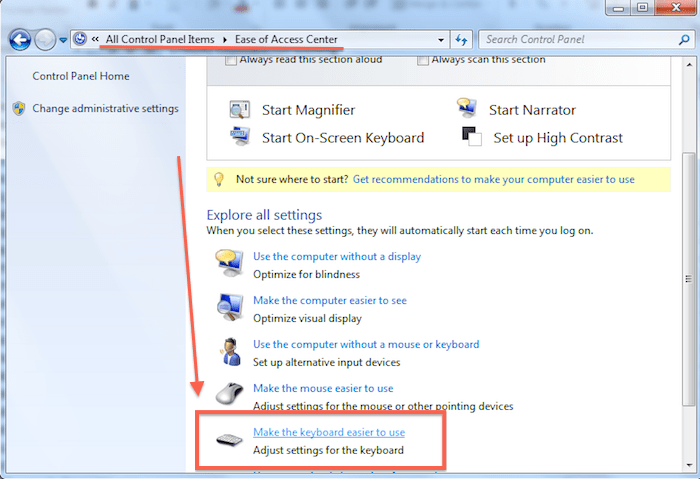
- Go to Start > Control Panel > Ease of Access.
- Click on the Make the keyboard easier to use link.
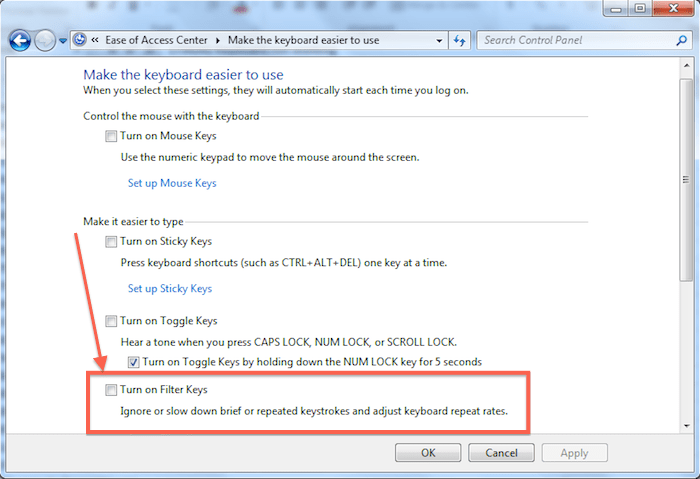
- Scroll down to the Make it easier to type section.
- Clear the turn on Filter keys checkbox.
Hopes it will works Done…………….
Thank you…………….

 Techsolutions