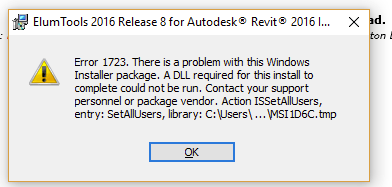
Error 1723. There is a Problem with this Windows Installer package.
Solution:
This is a fairly common permissions issue occurring with MSI installers. To resolve the problem:
- Navigate to c:\users\”username”\App Data\Local\ (make sure to change “User Name” to your Windows user name).
- Right click on “temp” and choose “properties.”
- Choose security –> edit –> add, and add the username you are using, and give yourself all rights/permissions.
- If the issue persists, give rebooting your machine a try.
Definitely it Will working Done You Can Install The Installer Package……..


 Techsolutions