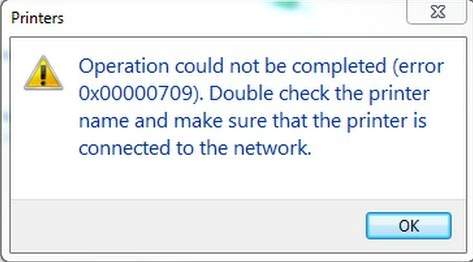
If you get this message Operation could not be completed(error 0x00000709). Double click the printer name and make sure that the printer is connected to the network when you fail to set your printer as the default one, you’re not alone.
Solution
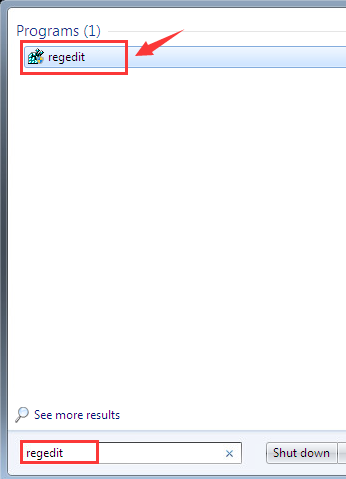
1) Click the Start button, then type regedit and press Enter.
2) Follow the path
HKEY_CURRENT_USER\Software\Microsoft\WindowsNT\CurrentVersion\Windows.
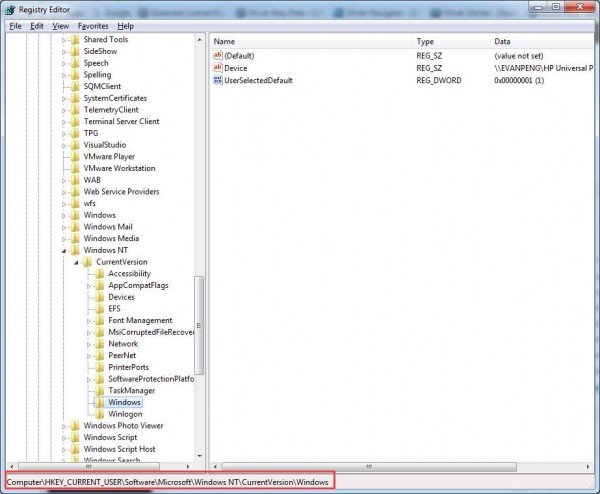
3) Double-click Device. Type in your printer name. (The screen shot here is an example only.)

Click OK to save the change. Note: If you encounter this sort of error “Cannot edit Device: Error writing the value’s new contents“, please follow the steps below to set the permission of the key.

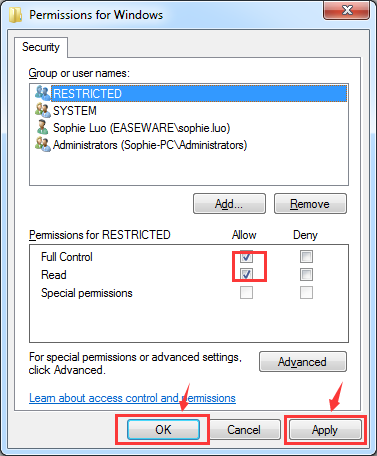
a) Right-click the Windows key on the left side of the panel and then click Permissions….
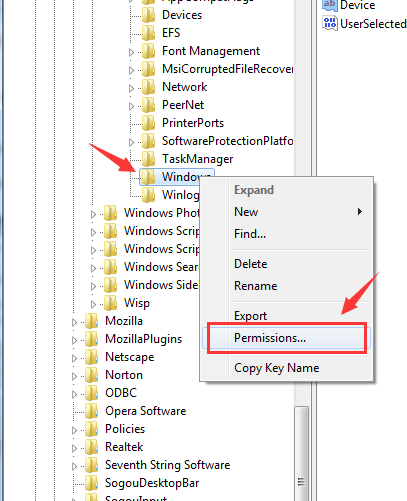
b) Tick the box Allow for Full Control and Read, then click Apply and click OK to save the change.
4) Right-click UserSelectDefault and click Rename to rename it as your printer name.

There you go! You should be able to set up your default printer now!
After setting up your printer, you will need update your printer driver for it to work more smoothly. If you don’t have the time, patience or computer skills to update the printer driver manually.
……………………Thank you…………………..


 Techsolutions